

Overview
Agents help make workflows autonomous. An Agent can decide what tools it needs to perform a task, combine those tools, and consolidate the results into a final outcome. This is powered by MCP (Model Context Protocol) servers, which expose external systems - like SaaS apps, APIs, or internal services - as callable tools. Agents don’t talk to these systems directly. Instead, they interact through a clean, governed tools layer. This setup gives you:- Workflows that can adapt at runtime
- More controlled access to external systems
Core Building Blocks
The Agents & MCP system is built around three main components:- MCP Servers - Helps AI agents perform actions through pre-defined tools
- MCP Tools Component - A way to select and grant tool access to an Agent
- Agent Component -Selects tools and executes actions
MCP Servers
An MCP Server lets an Agent take actions in external systems, like searching data or creating records. AI Squared supports two ways to work with MCP servers:- Preconfigured servers
- Custom servers
.png?fit=max&auto=format&n=Hqkdjo_336-4kPe9&q=85&s=e81005eacdd250a6ec320b8ee691b438)
MCP Tools Component
The Tools Component defines which MCP tools an Agent can use in a workflow. The MCP tools themselves do not execute by themselves. The Tools Component:- Points to an MCP server
- Lists the tools available by that server
- Lets users select which tools an Agent is allowed to use
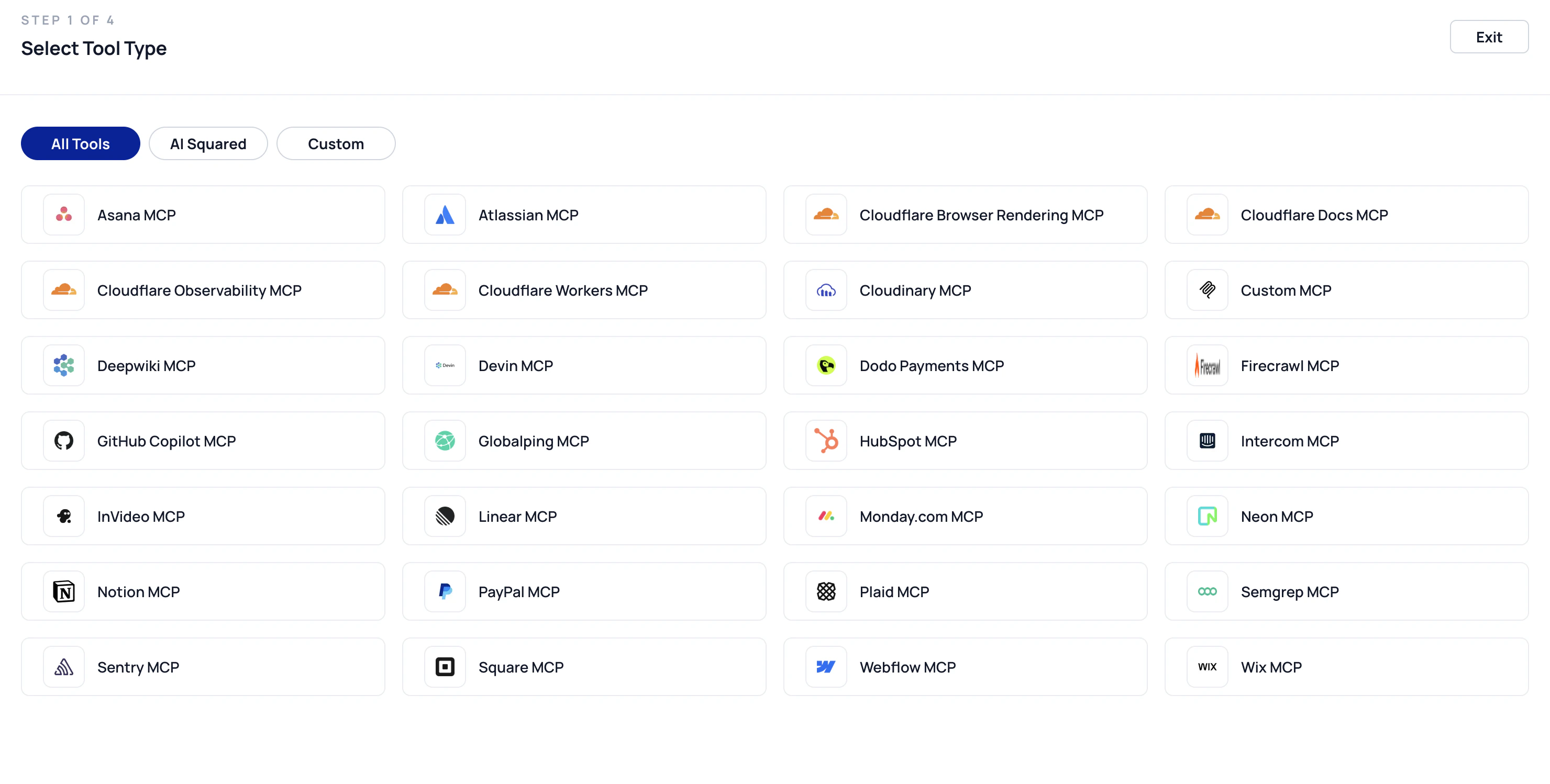
- 26 pre-integrated remote MCP server tools
- Custom MCP Server support to connect any MCP-compliant server
- Centralized tool configuration and management
- Tools configured today can be reused in upcoming workflow and agent capabilities
Agent Component
The Agent Component is where execution actually happens. An Agent:- Uses an LLM to reason
- Decides which tool to use based on the task
- Calls tools through the MCP client
- Interprets tool responses
- Produces a final result
How the Workflow Functions
When a workflow runs:- The scheduler reaches the Agent
- The Agent inspects which tools are connected
- The Agent builds an internal list of allowed tools
- The Agent decides which tools to call and when
- Tools are invoked dynamically through the MCP client
Safety, Control, and Governance
Several guardrails are built into the system:- Agents can only use tools connected to them
- Tool credentials are stored securely
- Logs are captured for debugging
Why Agents & MCP Tools are Important
Agents and MCP Tools together help make workflows smarter, compliant and efficient. They allow teams to:- Automate complex, multi-step tasks
- Integrate AI reasoning with real systems
- Keep tool access explicit and auditable
- Scale your operations efficiently.