> ## Documentation Index
> Fetch the complete documentation index at: https://docs.squared.ai/llms.txt
> Use this file to discover all available pages before exploring further.
# Weaviate
> Connect AI Squared to Weaviate to sync vector data to your Weaviate collections.
## Connect AI Squared to Weaviate
This guide will help you configure the Weaviate Connector in AI Squared to access and transfer data to your Weaviate collection.
### Prerequisites
Before proceeding, ensure you have your API URL and API key.
## Step-by-Step Guide to Connect to your Weaviate collection
## Step 1: Navigate to Weaviate
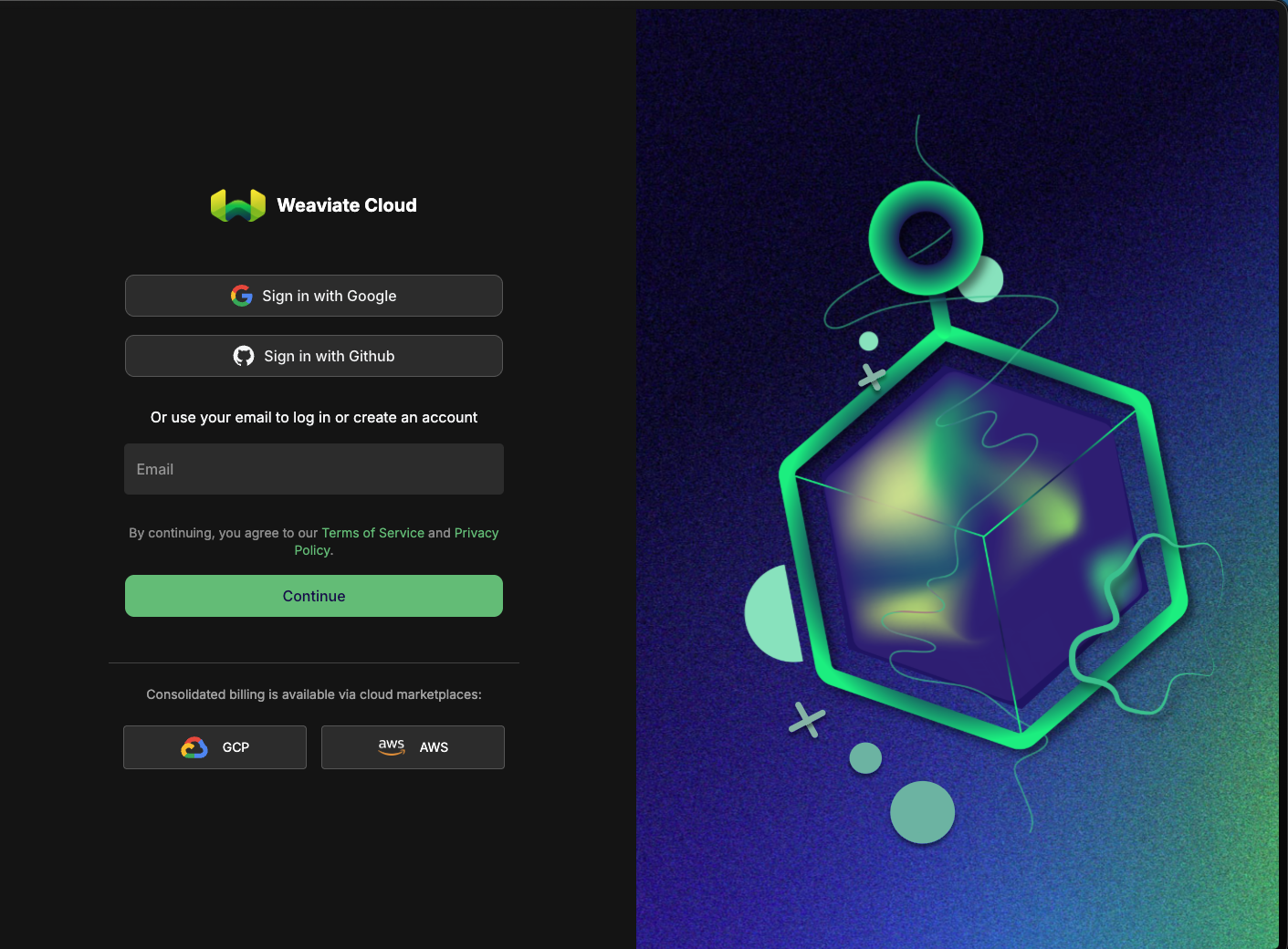
Start by logging into your Weaviate account.
1. Sign in to your Weaviate account at [Weaviate Cloud Console](https://console.weaviate.cloud/)
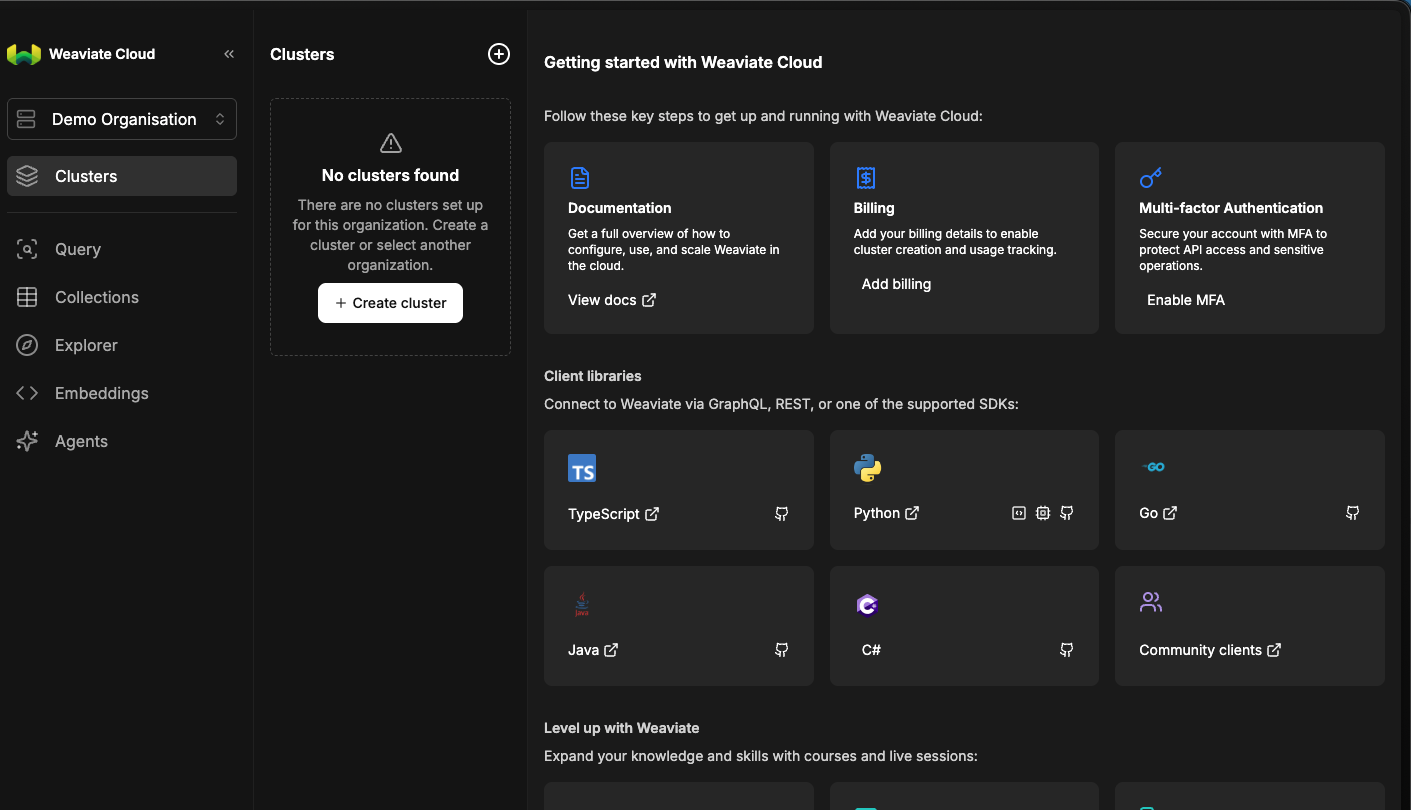
 2. Select **Clusters** from the side bar.
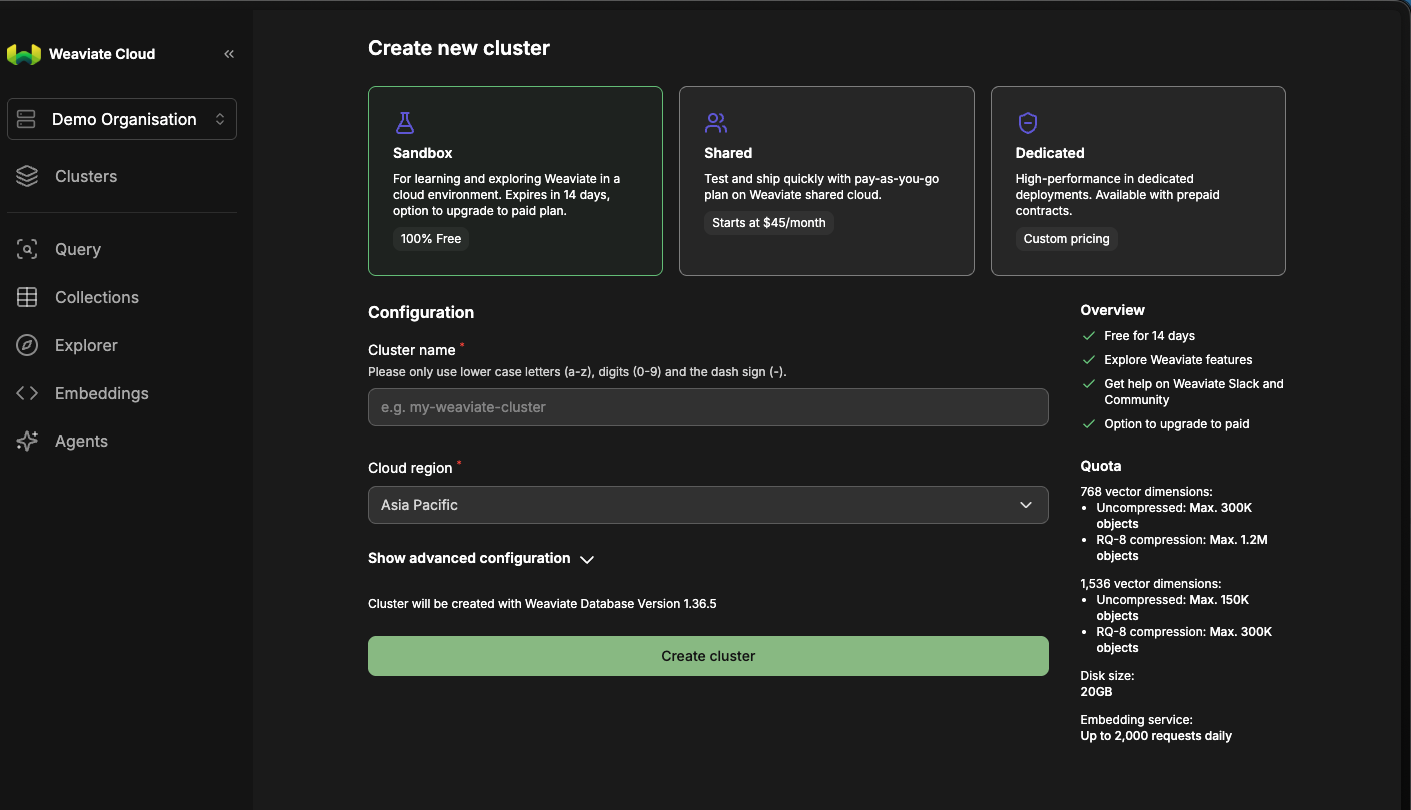
 3. Select your cluster to see more details.
 ## Step 2: Locate Weaviate Configuration Details
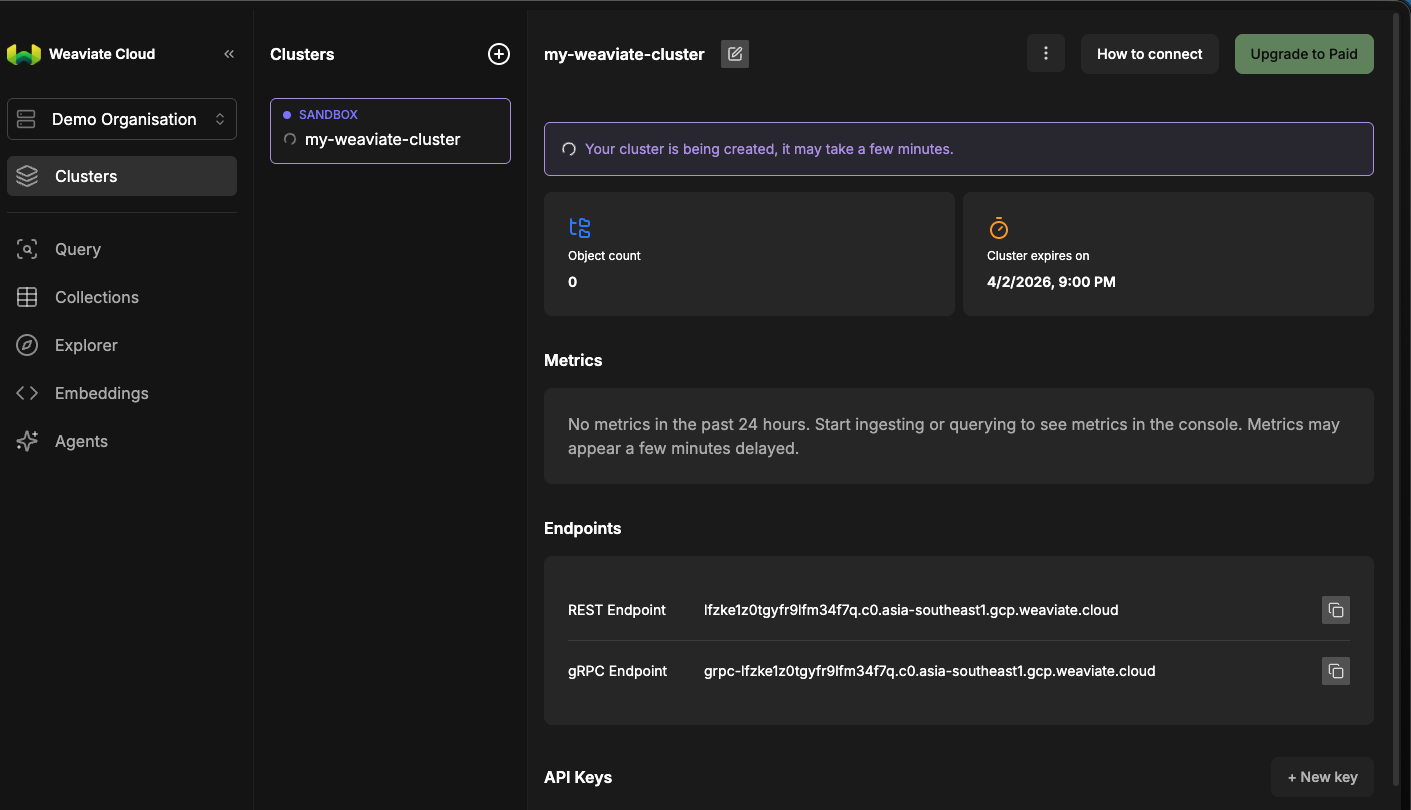
Once in your Weaviate cluster, you'll find the necessary configuration details:
**API URL:**
* Click on the **Details** tab of your cluster.
* Copy the **Cluster URL** (API URL).
## Step 2: Locate Weaviate Configuration Details
Once in your Weaviate cluster, you'll find the necessary configuration details:
**API URL:**
* Click on the **Details** tab of your cluster.
* Copy the **Cluster URL** (API URL).
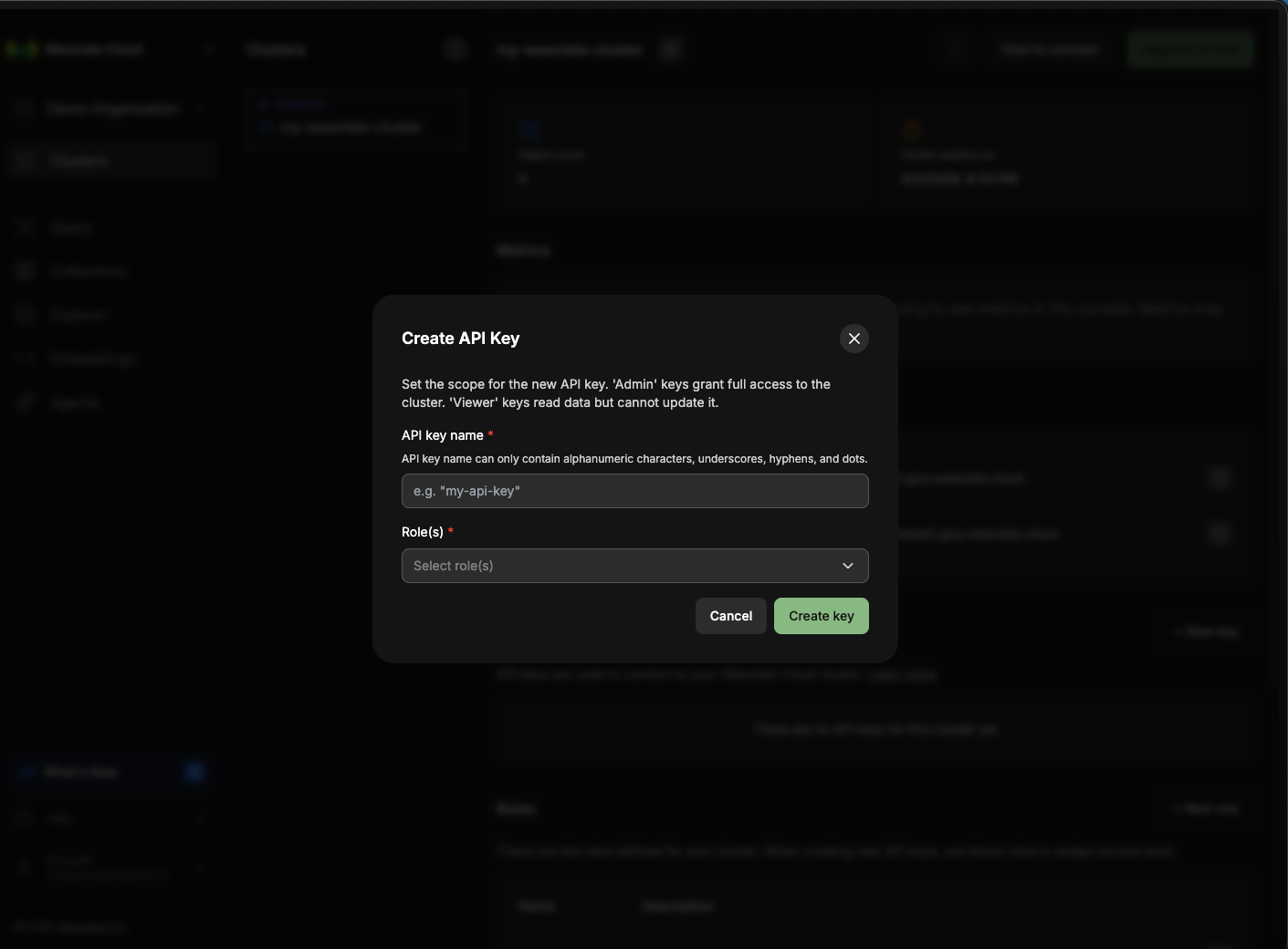
 **API Key:**
* Click on the **API Keys** tab.
* If you haven't created an API key before, click on **Create** to generate a new one. Make sure to copy the API Key as it is shown only once.
**API Key:**
* Click on the **API Keys** tab.
* If you haven't created an API key before, click on **Create** to generate a new one. Make sure to copy the API Key as it is shown only once.
 ## Step 3: Configure Weaviate Connector in Your Application
Now that you have gathered all the necessary details, enter the following information in your application:
* **API Key:** The authentication key used to access your Weaviate cluster.
* **API URL:** The endpoint where your Weaviate cluster is hosted.
## Step 4: Test the Weaviate Connection
After configuring the connector in your application:
1. Save the configuration settings.
2. Test the connection to Weaviate from your application to ensure everything is set up correctly.
By following these steps, you've successfully set up a Weaviate destination connector in AI Squared.
### Supported sync modes
| Mode | Supported (Yes/No/Coming soon) |
| ---------------- | ------------------------------ |
| Incremental sync | YES |
| Full refresh | Coming soon |
## Performance features
### Batch write support
The Weaviate destination connector supports efficient batch writes with the following capabilities:
* **Batch operations**: Records are written in batches using Weaviate's batch create API for optimal performance
* **Upsert support**: When an `id` field is provided, the connector generates a deterministic UUID to enable upsert behavior, preventing duplicate records
* **Automatic type coercion**: Property values are automatically coerced to match the Weaviate collection schema (text, integer, number, boolean, and date types)
* **Vector support**: Each record can include a `vector` field containing embedding arrays for semantic search and AI-powered applications
### Schema discovery
The connector automatically discovers your Weaviate collections and their property schemas during sync configuration. Each collection stream includes:
| Field | Description |
| ------------ | --------------------------------------------------------------- |
| `id` | Optional string identifier for upsert behavior |
| `vector` | Embedding vector array (array of floats) |
| `properties` | Object containing collection properties with auto-coerced types |
## Step 3: Configure Weaviate Connector in Your Application
Now that you have gathered all the necessary details, enter the following information in your application:
* **API Key:** The authentication key used to access your Weaviate cluster.
* **API URL:** The endpoint where your Weaviate cluster is hosted.
## Step 4: Test the Weaviate Connection
After configuring the connector in your application:
1. Save the configuration settings.
2. Test the connection to Weaviate from your application to ensure everything is set up correctly.
By following these steps, you've successfully set up a Weaviate destination connector in AI Squared.
### Supported sync modes
| Mode | Supported (Yes/No/Coming soon) |
| ---------------- | ------------------------------ |
| Incremental sync | YES |
| Full refresh | Coming soon |
## Performance features
### Batch write support
The Weaviate destination connector supports efficient batch writes with the following capabilities:
* **Batch operations**: Records are written in batches using Weaviate's batch create API for optimal performance
* **Upsert support**: When an `id` field is provided, the connector generates a deterministic UUID to enable upsert behavior, preventing duplicate records
* **Automatic type coercion**: Property values are automatically coerced to match the Weaviate collection schema (text, integer, number, boolean, and date types)
* **Vector support**: Each record can include a `vector` field containing embedding arrays for semantic search and AI-powered applications
### Schema discovery
The connector automatically discovers your Weaviate collections and their property schemas during sync configuration. Each collection stream includes:
| Field | Description |
| ------------ | --------------------------------------------------------------- |
| `id` | Optional string identifier for upsert behavior |
| `vector` | Embedding vector array (array of floats) |
| `properties` | Object containing collection properties with auto-coerced types |